
Production Attributes for Smarter Farm Data Management
Maintaining precise data across hundreds of fields and blocks can feel like a mountain of paperwork. We are excited to launch our Production Attributes feature as part of Field Insights - a powerful toolkit built directly into your dashboard to help you organise, visualise, and report with ease.

Whether you need to track organic certifications, identify specific crop varieties at a glance, or filter blocks by production status, this new tool puts total control at your fingertips.
What Can You Do with Production Attributes?
This feature isn’t just about storing data; it’s about making that data visual and actionable. Here is how it transforms your workflow:
Customised Data Management: Edit and save specific attributes—such as Production Status, Variety, and Certification—for every individual block in your farm.
Instant Map Visualisation: Use the Colour By tool to watch your map transform. Your block outlines will change colour based on your selected attribute, giving you a high-level view of your farm’s composition.
Advanced Filtering: Use AND logic to find exactly what you’re looking for. For example, you can filter to see only blocks that are "In Production" and "Certified Organic".
Seamless Reporting: Export your data into a structured CSV file with a single click.
How It Works: 3 Steps to Better Insights
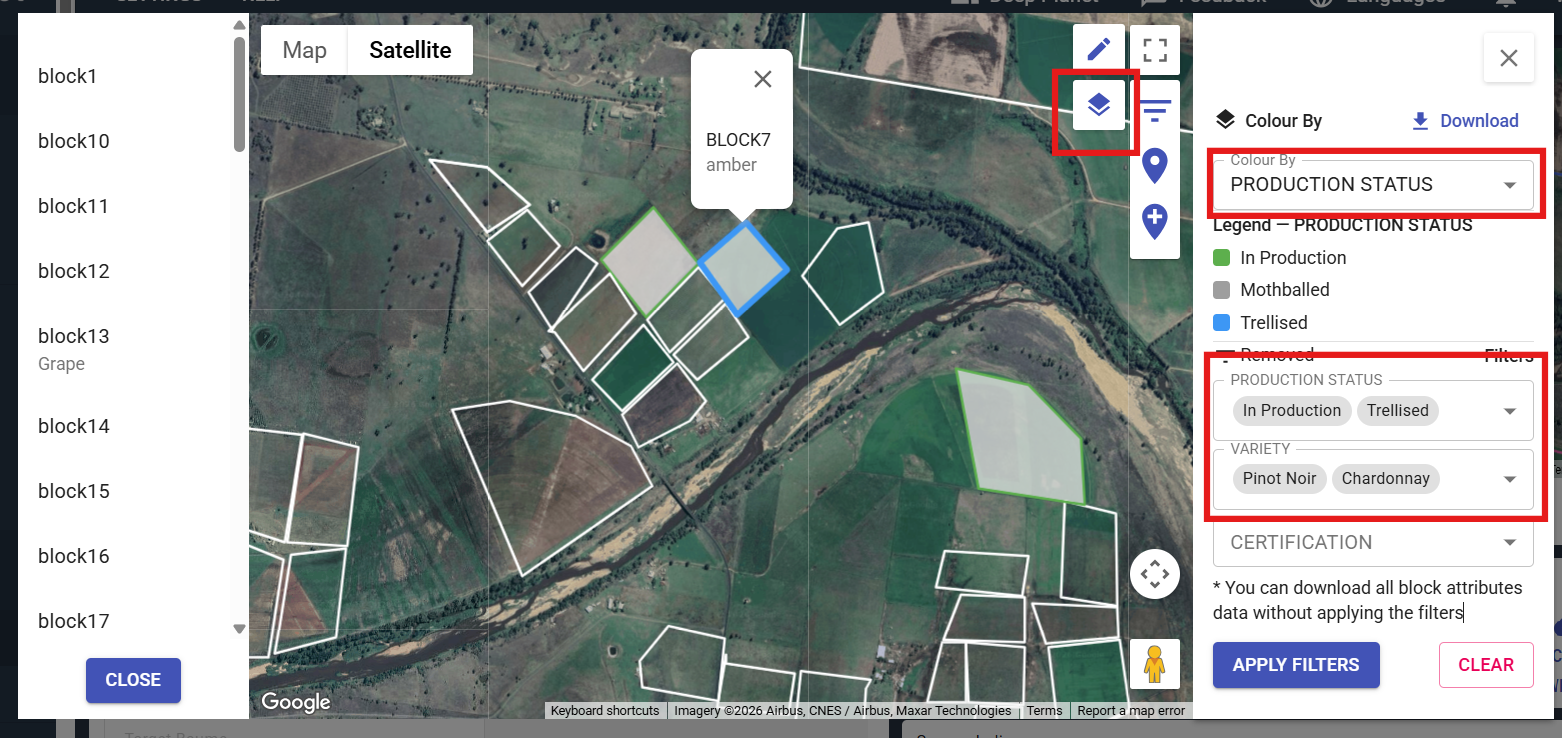
Deep Planet Block Attributes Feature: Update your records on production status, crop variety and certification
Accessing these tools is easy. Once you log in to your Dashboard, you’ll find two new icons on your map toolbar: the Pencil (Edit) icon and the Filter (Layers) icon.
1. Update Your Records
Click the Pencil icon to open the Edit panel. Simply select a block on the map or from the list, choose your attributes from the dropdown menus, and hit Save. Your changes are stored instantly.
2. Visualise Your Farms
Click the Filter icon to open the "Colour & Filter" panel. Choose a "Colour By" category to update your map legend automatically. Matching blocks will stay highlighted with grey fills, while non-matching blocks remain visible with neutral borders, keeping your focus where it matters.
3. Export for Analysis
Need a report for a meeting or a compliance audit? Click Download in the filter panel. The system intelligently exports exactly what you see: if you’ve applied filters, it only downloads those specific blocks; if no filters are active, it exports your entire attribute list.
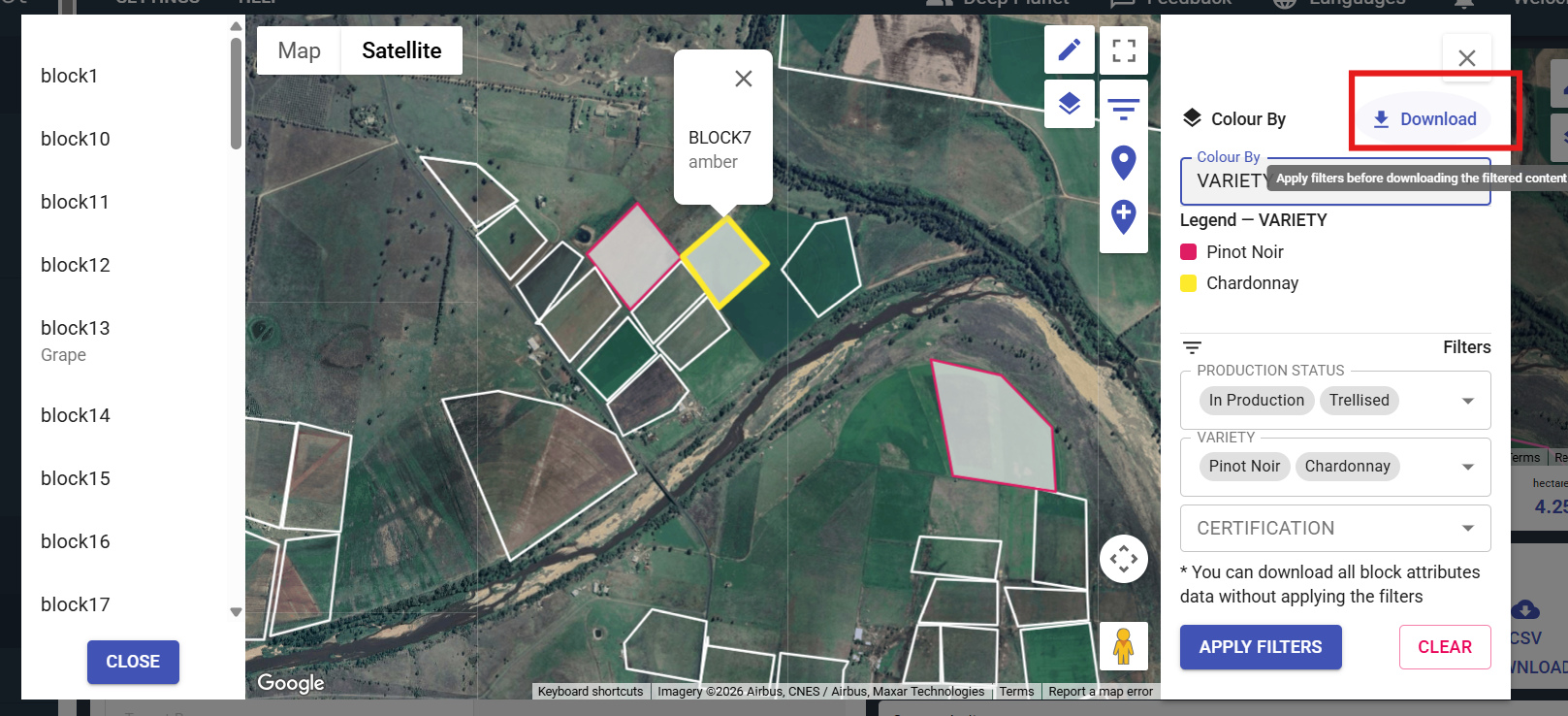
Deep Planet Block Attributes Feature: Export data for analysis
Better Data, Better Decisions
At its core, the Production Attributes feature is about clarity. By moving your block data from spreadsheets to an interactive map, you can visually analyse your farms and maintain accurate records with ease.
Ready to see your farms in a new light? Log in to your Deep Planet dashboard today to try out the new tools.
If you have questions or need a hand getting started, our team is here to help! Reach out to us at hello@deepplanet.ai.